Markdown Editor Workspace in Blue
A quiet place to read
Open a folder of Markdown and read it through,
one file at a time.
Reading
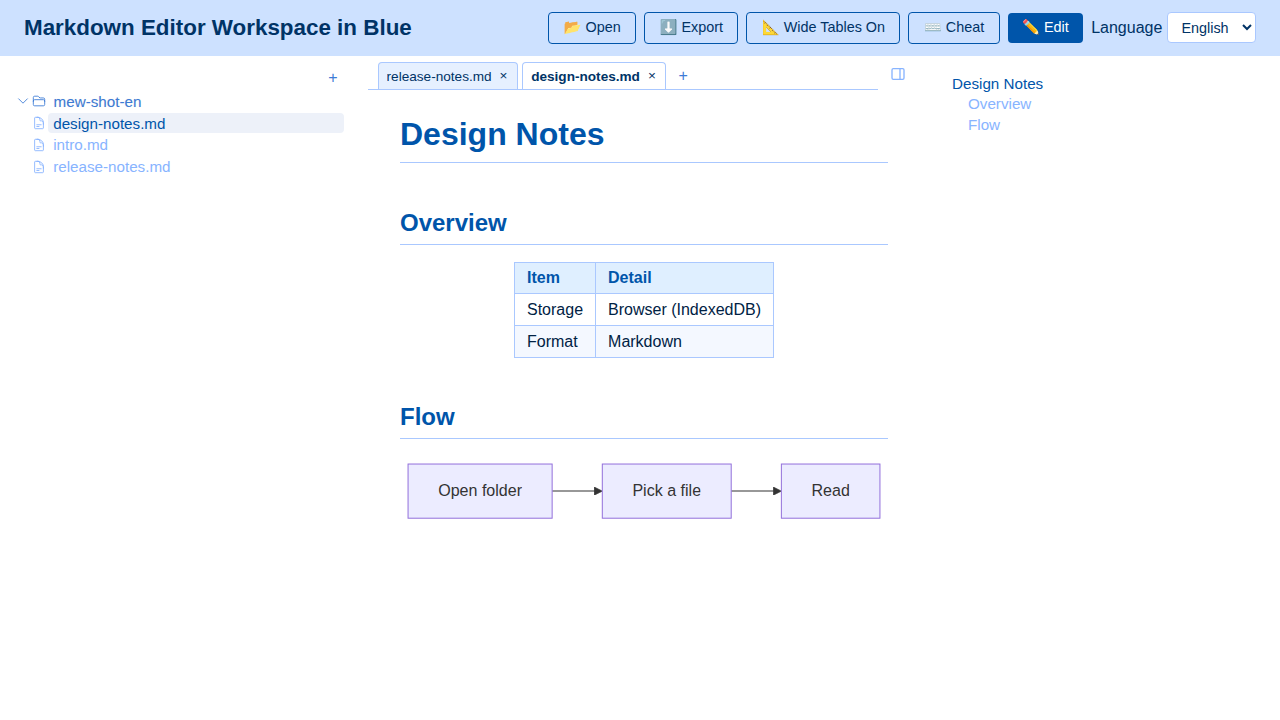
Folder treeYour folder, as it is
TabsSwitch between documents
Reading paneWhere the text is laid out
OutlineJump by heading
- Folder tree — Your folder, as it is
- Tabs — Switch between documents
- Reading pane — Where the text is laid out
- Outline — Jump by heading
Writing
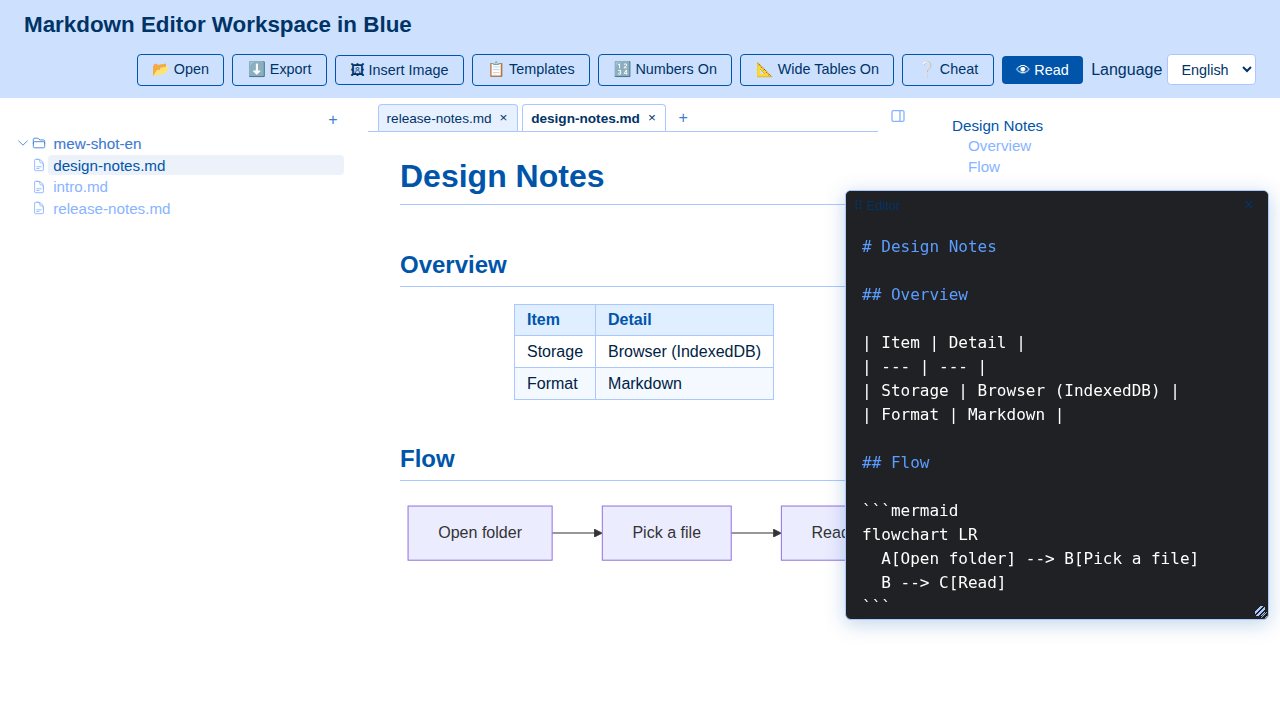
Reading paneThe text stays rendered beside you
Editor panelWrite here, in Markdown
- Reading pane — The text stays rendered beside you
- Editor panel — Write here, in Markdown
Open the editor beside what you are reading. Move it where it suits you, and it stays there next time.
The folder you open and the documents you edit stay in your browser.